
We all already know that Microsoft Office is a very powerful and expansive suite of tools. There is almost no limit to what you can create and accomplish by using one of the pieces of included software. It comes in especially handy in a classroom or homework setting, but it is extremely expensive.
However… a few years ago, Microsoft released this awesome collection absolutely FREE to students and teachers – all you must have is a .edu email address! This is NOT a trial offer. You will receive Office 365 Education which includes Excel, PowerPoint, Word, OneNote and even Microsoft Teams… as well as additional tools to be used in the classroom.
So, how can you take advantage of this amazing offer? It is so simple you may laugh and not believe me. But I promise you – you will get the full suite for zero charge from Microsoft if you have the required type of email address and follow my instructions.
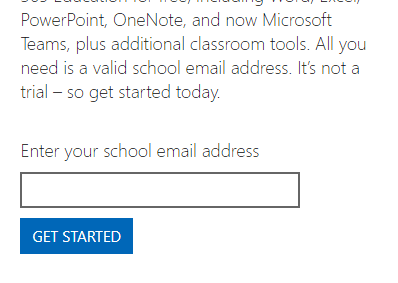
Head over to the Microsoft Office offer site. On the left, it will ask you to enter your education email address and then click the blue ”Get Started” button.
You’ll be taken to a page that shows you are signed in, and then directed to click the ”Install Now” button.

As soon as you do, the programs will start installing themselves on your computer. You will see a progress bar as the installer works, and each separate program will light up on the page as it is finished getting itself all situated.

Voila! You are now the proud owner of the full suite of Microsoft Office 365 software as a student or teacher! Go ahead and click that ”Close” button on the installer. Then click the ”Start” button on your computer and start creating whatever your heart desires – or your teacher assigns to you.
Happy Microsoft computing!



I can not see the answer to the above question about not having an .edu address. I am a Music & Technology teacher in a private Christian school (non-profit) with a .org email. Is there any way that I can receive this offer of Office Suite for students and teachers without the cost?
Hi Dave,
Do any the schools have Enterprise License agreement with Microsoft ?
This offer is linked to agreement.
You could try checking if your school is approved by submitting your details on the below link
https://www.microsoft.com/en-au/education/educators
They normally reply in a about a week.
Cheers
Anil
Hello
I teach a USC also ASSE 40 HOUR COLLEGE CORSE. IN 38 STATES. I HSAVE NO EMAIL…edu ours is org
We teach for Indiana School of Backflow a USC- LA Vitterbi School of Engineering since 2003 or may have need 2004 most states are ASSE different teaching techniques also class structure. The universities say thru you but email is not edu but org. What do I need do to make this happen ?
Thanks