Skip to content
LogoTechnipages
technipages logo
  • Topics
        • Android
        • Browsers
        • Gaming
        • Hardware
        • Internet
        • iPhone
        • Linux
        • macOS
        • Office
        • Reviews
        • Software
        • Windows
        • Definitions
  • Product Reviews
  • Downloads
  • About

How to Play Chrome’s Secret Dino Game

Judy SanhzDecember 26, 2022 Comments (0)

It may not have the best graphics out there, but you have to admit that Chrome’s hidden Dino game can get a little addictive. There’s not much to the game, but you can’t help try just one more time to beat your score.

All you have to do is jump/dodge pterodactyls and cactuses here and there, but you can’t stop playing. There are a few tips to keep in mind when playing, but other than that, the game is straightforward.

Access Chrome’s Hidden Dino No Internet Game

To play Chrome’s free Dino game type chrome://dino in the address bar and press the Enter key. You should now see a No Internet error message with the dino. Not to worry, this is supposed to happen.
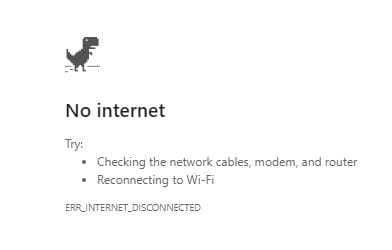
When you see the No Internet message, press the spacebar. The dino will start running as soon as you press the spacebar. At first, the obstacles won’t be as consistent and the game will have a slow pace, but as you advance in the game, they will come at you one right after the other. As you jump over obstacles, the speed of the game will also increase.

Get ready to jump over one, two, or three cactuses at a time. At first, the flying pterodactyls can be avoided by just running and not jumping. But, as you advance in the game, they will start to fly lower, and you will need to calculate when you should jump or duck. If you touch any of the obstacles, it’s game over.
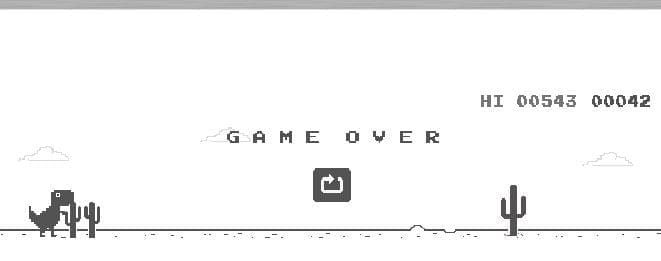
You can jump by pressing the spacebar or the up arrow. To duck, remember to press the down arrow. The Dino game will also switch between light and dark themes as you play. You can also play the hidden Dino game on your mobile device.

When you see the No Internet message, tap on the dino to start playing. To jump, you only need to tap on your display.

Remember that there is no need to turn off your Internet connection to play the game.

Conclusion

Chrome’s dino No Internet game is proof that a game doesn’t have to have the best graphics to be popular. Sometimes simplicity beats all those complicated button combinations you might elsewhere. Ready to Play?


Categories: Internet

Author Judy Sanhz

You Might Also Like

  • Facebook Header

    Facebook: Add Admin to Group or Page

    Mel HawthorneInternet
  • Accessing Google Services on PC

    MonaInternet
  • how-does-google-know-if-store-is-busy

    How to See What Apps Have Access to Your Account

    Judy SanhzInternet
  • delete-photos-from-phone-after-backup-to-google-photos

    Google Photos: How to Customize Your Memories

    Judy SanhzInternet

Leave a Reply

Your email address will not be published. Required fields are marked *

This site uses Akismet to reduce spam. Learn how your comment data is processed.

300x600
Turning on Triple Touch Zoom on Android

Turning on Triple Touch Zoom on Android

How to Connect Outlook 2023 to Gmail

How to Connect Outlook 2023 to Gmail

Netflix: Change Password

Netflix: Change Password

Everything You Need to Know About WhatsApp Delete for Me

Step-by-Step Guide: How to Use WhatsApp on Your Computer

Android: Enable or Disable Background Data

Android: Enable or Disable Background Data

300x250
profile pic

The Experts Behind Technipages

My name is Mitch Bartlett. I've been working in technology for over 20 years in a wide range of tech jobs from Tech Support to Software Testing. I started this site as a technical guide for myself and it has grown into what I hope is a useful reference for all.

Learn More

300x250 2
technipages logo white
linkedin icon

Technipages is part of Guiding Tech Media, a leading digital media publisher focused on helping people figure out technology. Visit guidingtechmedia.com to learn more about our mission and team.

© 2026 Guiding Tech Media All Rights Reserved

  • About Us
  • Contact
  • Legal & Privacy

© 2026 Guiding Tech Media All Rights Reserved

Information from your device can be used to personalize your ad experience.
Do not sell my personal information.