Skip to content
LogoTechnipages
technipages logo
  • Topics
        • Android
        • Browsers
        • Gaming
        • Hardware
        • Internet
        • iPhone
        • Linux
        • macOS
        • Office
        • Reviews
        • Software
        • Windows
        • Definitions
  • Product Reviews
  • Downloads
  • About

Dropbox: How to Request Help

Mel HawthorneFebruary 19, 2021 Comments (0)

If you’re struggling to work out how to perform a task in a piece of software, it can be frustrating. This can be even more frustrating if you don’t have a techie-person around to help you out. Thankfully, support is offered for users struggling with Dropbox.

There are several ways to get support. The easiest way is to go through the app feedback options and to request help there. This option may not get you a swift response but is the easiest to find.

How to Get Assistance on Dropbox

To request help from within the Dropbox app, open the settings by clicking the cogwheel icon at the bottom of the column on the left.
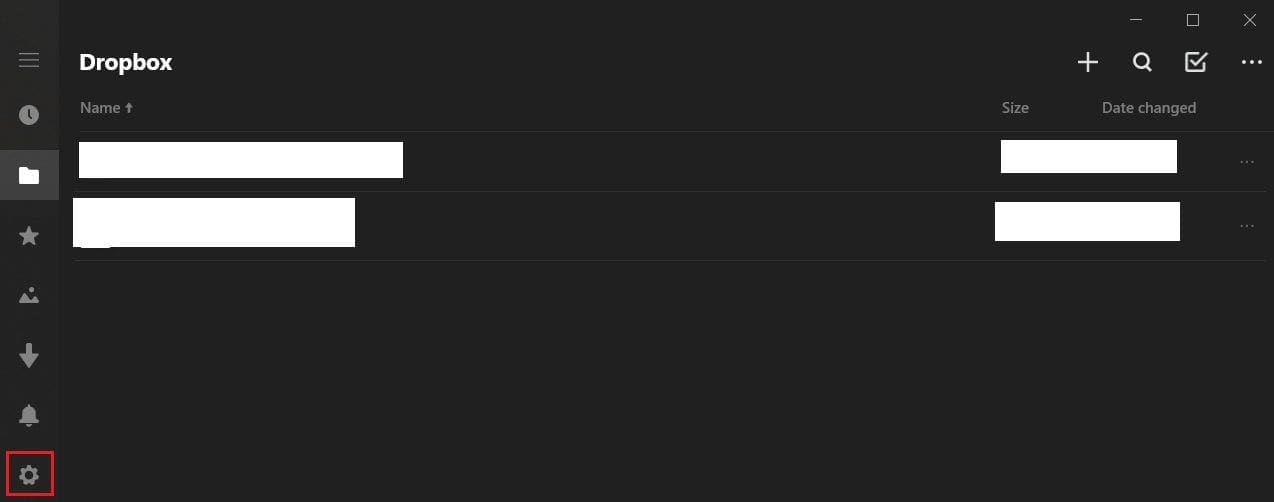
Click on the cogwheel icon in the left column to open the settings.

In the settings, click on the “feedback” entry.

Click “feedback” to open the feedback section.

Next, click “Request help,” then type your issue in the text box and click “Submit.” Within a few minutes, you’ll get an email to the email address associated with your Dropbox account.

This email will provide links to several FAQ sections that may be able to help fix your issue. If it doesn’t, you can also reply to the email with a full description of your issue, and the support team will email you back.

While email support may be relatively slow, this is the only way to speak to Dropbox support staff when using a free account. There is a chatbot option, but this will obviously only contain automated responses. It is likely to be of limited use.

The Dropbox community forums, found here, could potentially be helpful for some users. However, the community support forums’ design is not particularly suitable for non-technical users as it is not immediately user-friendly.

Select “Request help,” then detail your issues and submit the request.

If you can’t work out how to do something with Dropbox, you’ll want to contact support. By following the guide’s steps, you can contact the official customer support or access the community support forum.


Categories: Internet | Software

Author Mel Hawthorne

You Might Also Like

  • 7 Chrome Extensions to Make Gmail More Productive

    Judy SanhzInternet
  • Zoom: How to Mirror Your Webcam

    Mel HawthorneInternet
  • Slack: How To Export a Workspace Member List

    Mel HawthorneInternet
  • Bitwarden: How to Unlock the Browser Extension with a PIN or Biometrics

    Mel HawthorneInternet

Leave a Reply

Your email address will not be published. Required fields are marked *

This site uses Akismet to reduce spam. Learn how your comment data is processed.

300x600
Turning on Triple Touch Zoom on Android

Turning on Triple Touch Zoom on Android

How to Connect Outlook 2023 to Gmail

How to Connect Outlook 2023 to Gmail

Netflix: Change Password

Netflix: Change Password

Everything You Need to Know About WhatsApp Delete for Me

Step-by-Step Guide: How to Use WhatsApp on Your Computer

Android: Enable or Disable Background Data

Android: Enable or Disable Background Data

300x250
profile pic

The Experts Behind Technipages

My name is Mitch Bartlett. I've been working in technology for over 20 years in a wide range of tech jobs from Tech Support to Software Testing. I started this site as a technical guide for myself and it has grown into what I hope is a useful reference for all.

Learn More

300x250 2
technipages logo white
linkedin icon

Technipages is part of Guiding Tech Media, a leading digital media publisher focused on helping people figure out technology. Visit guidingtechmedia.com to learn more about our mission and team.

© 2026 Guiding Tech Media All Rights Reserved

  • About Us
  • Contact
  • Legal & Privacy

© 2026 Guiding Tech Media All Rights Reserved

Information from your device can be used to personalize your ad experience.
Do not sell my personal information.