

Snapchat is a very popular messaging app that lets you send snaps (photos and videos) to your friends. You can add various filters and effects to edit your photos or videos.
Not being able to send messages on Snapchat can be really frustrating. But that’s why we compiled this guide. We want to assist you in fixing this problem.
How to Fix Snapchat Messages not Sending
Maybe You’ve Been Blocked
If the recipient has blocked you, you may get an error message that says ‘Failed to send‘.
To check if someone has really blocked you, go to Stories. If you can’t find any stories from them, this could indicate they indeed blocked you.
Another method is to search them by their username. If the search does not bring back any results, that’s another element in favor of the hypothesis that you’ve been blocked.
The bulletproof method
There’s also a bulletproof method to check if you’ve been blocked on Snapchat. Create a new account. Then search for your contact using their username. Do they show up in the search results of the new account, but not in your main account? This means they blocked you.
In this case, there’s nothing wrong with your Snapchat account or device. You don’t need to troubleshoot anything.
Restart Snapchat and Check Your Connection
Simply closing and restarting the app may fix the problem. You can also log out and then log back in. Check if reconnecting to Snapchat’s server did the trick.
Ensure your Internet connection is working properly. If you’re on cellular data, enable Airplane Mode. Then reconnect to the network.
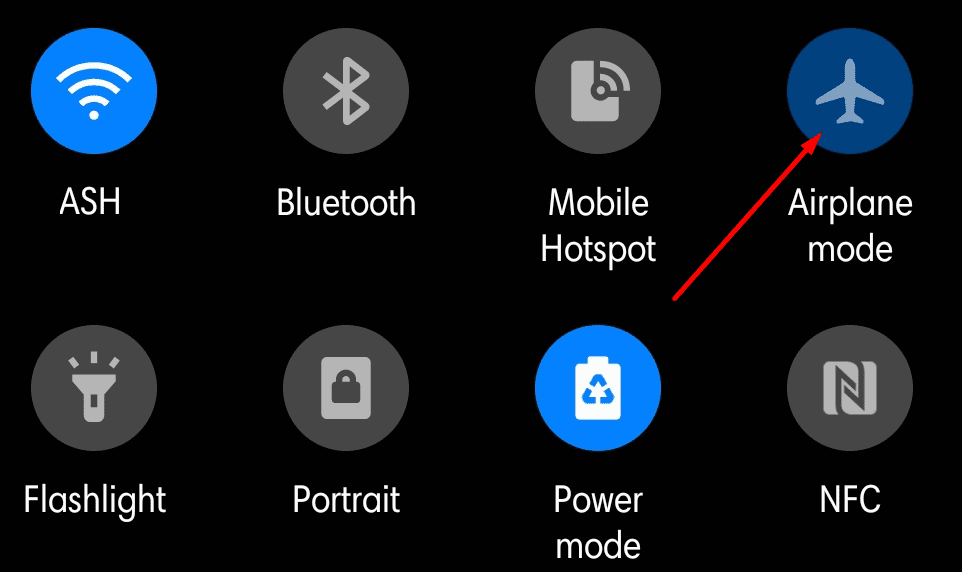
Connect to a Wi-Fi network if that’s possible. Check if you can send messages on Snapchat while using the wireless connection.
Clear the Cache
If the issue is still there, try clearing the app cache.
- Tap on your profile and go to Settings.
- Then scroll down to Account Actions.
- Tap Clear Cache and then Clear All.

Reinstall the App
If nothing worked, try uninstalling the app. Long press the Snapchat icon and select the Uninstall option. Restart your device.

Then, go to the Google Play Store, search for Snapchat, and install the app. Hopefully, reinstalling the app will fix the messaging problem.


I have 2 friends on my snap I can see there story’s but when I go to comment and press send it saying failed to send.
What can it be as I am.not blocked
On some random accounts I cannot swipe up and message them at all, even though I am not blocked. I know I’m not blocked because I can still see their stories, their snapscore, previous chats, everything. Does anyone know a fix for this?
Nothing worked. :( these companies use us civilians to build their platform, then let us runt to each other about their technical issues. Haha
No i tried everything mentioned but still not working
No
I can’t send messages on Snapchat. And I can’t receive messages…I don’t know what’s wrong?