Skip to content
LogoTechnipages
technipages logo
  • Topics
        • Android
        • Browsers
        • Gaming
        • Hardware
        • Internet
        • iPhone
        • Linux
        • macOS
        • Office
        • Reviews
        • Software
        • Windows
        • Definitions
  • Product Reviews
  • Downloads
  • About

Dropbox: How to Get More Free Storage Space

Mel HawthorneFebruary 19, 2021 Comments (0)

One factor in the popularity of Dropbox is the free tier that is offered to anyone who creates an account. Each account comes with two gigabytes of cloud storage for free. Everyone likes free things. But they can be improved further by adding more free things. Dropbox allows you to increase your free storage amount if you complete certain tasks.

Tips to Increase Your Storage Space on Dropbox

There are two ways to get more free storage for your account. The first is to complete five of the seven introductory steps. By doing this, you’ll get an extra 250MB of storage. These introductory steps are as follows:

  • “Take the Dropbox tour” – You need to complete the tour of the website or app.
  • “Install Dropbox on your computer” – To complete this, you just need to download and install the desktop app and sign in.
  • “Put files in your Dropbox folder” – Upload one or more files to Dropbox to complete this step.
  • “Install Dropbox on other computers you use” – Install and sign in to Dropbox on another computer.
  • “Share a folder with friends or colleagues” – Share a folder with another Dropbox user.
  • “Invite some friends to join Dropbox” – Send an invite to one or more friends to create a Dropbox account.
  • “Install Dropbox on your mobile device” – Install and sign in to Dropbox on a mobile phone or tablet.
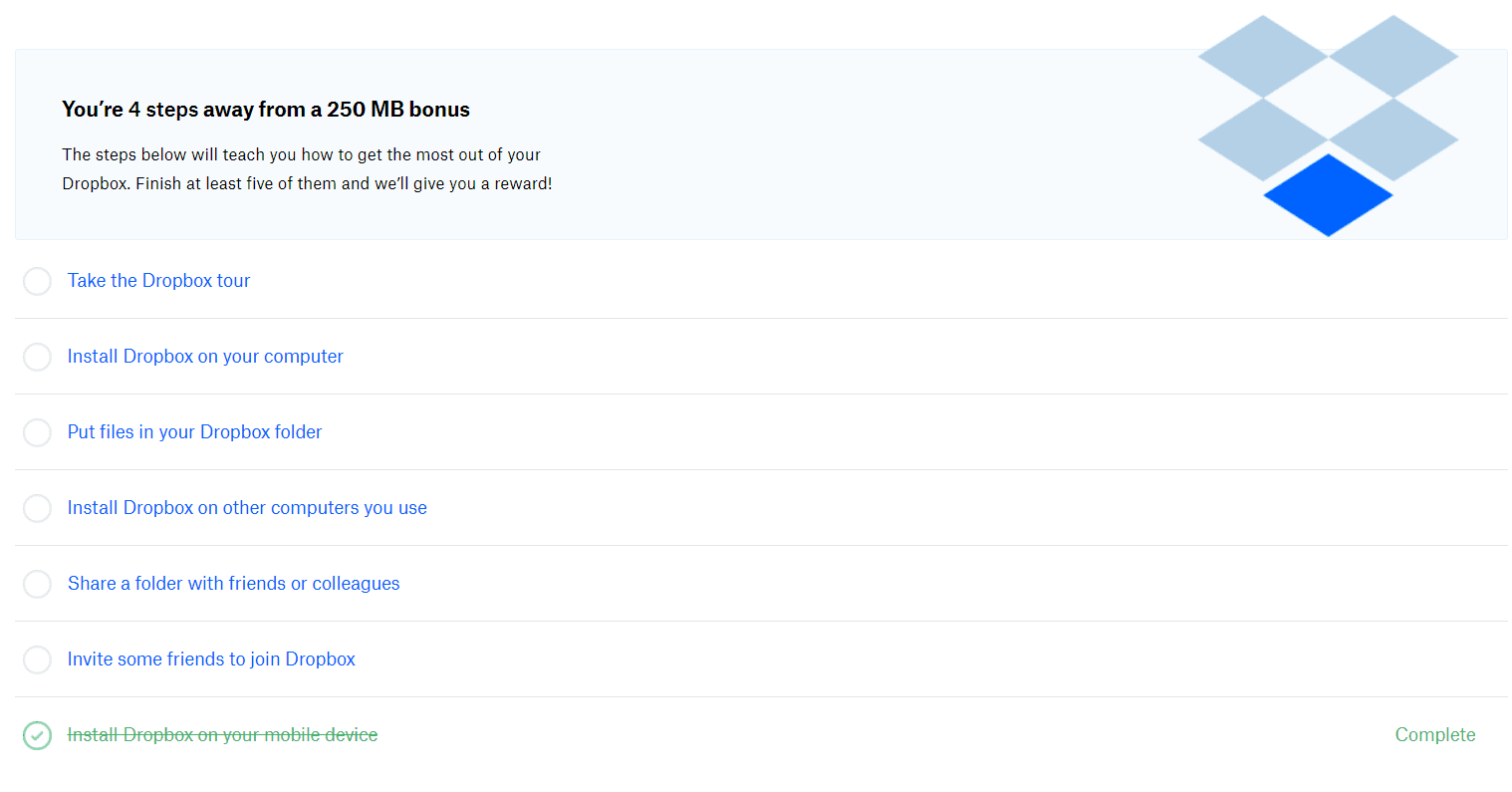
You need to complete 5 of the seven introductory tasks to get an extra 250MB of free storage.

More Tips

The other method of getting more free storage is to invite friends. You may think that this was mentioned before, but this is slightly different. This time you get 500MB of extra storage for each friend you invited that installs and signs in to Dropbox.

To make it slightly better, not only do you get 500MB extra, but so do they. This also isn’t limited to one friend either. If you invite ten of your friends and four of them install Dropbox, you get an extra two gigabytes of free storage. If two more friends install Dropbox, you’ll get another gigabyte.
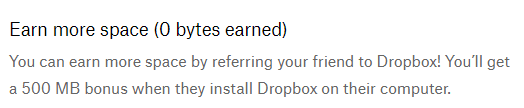
You get 500 MB free extra storage when a friend you invite installs Dropbox.

Dropbox’s free tier is a pretty good offer but can be made even sweeter with more free storage. By following the steps in this guide, you can get extra free storage for yourself and your friends.
Categories: Internet

Author Mel Hawthorne

You Might Also Like

  • How to Integrate Email Into Google Docs

    MonaInternet
  • How to Access the Dark Web

    Mel HawthorneInternet
  • LinkedIn

    How to Change Your Email Account on LinkedIn

    Mel HawthorneInternet
  • delete-photos-from-phone-after-backup-to-google-photos

    Google Photos: How to Create an Album Based on Someone’s Face

    Judy SanhzInternet

Leave a Reply

Your email address will not be published. Required fields are marked *

This site uses Akismet to reduce spam. Learn how your comment data is processed.

300x600
Turning on Triple Touch Zoom on Android

Turning on Triple Touch Zoom on Android

How to Connect Outlook 2023 to Gmail

How to Connect Outlook 2023 to Gmail

Netflix: Change Password

Netflix: Change Password

Everything You Need to Know About WhatsApp Delete for Me

Step-by-Step Guide: How to Use WhatsApp on Your Computer

Android: Enable or Disable Background Data

Android: Enable or Disable Background Data

300x250
profile pic

The Experts Behind Technipages

My name is Mitch Bartlett. I've been working in technology for over 20 years in a wide range of tech jobs from Tech Support to Software Testing. I started this site as a technical guide for myself and it has grown into what I hope is a useful reference for all.

Learn More

300x250 2
technipages logo white
linkedin icon

Technipages is part of Guiding Tech Media, a leading digital media publisher focused on helping people figure out technology. Visit guidingtechmedia.com to learn more about our mission and team.

© 2026 Guiding Tech Media All Rights Reserved

  • About Us
  • Contact
  • Legal & Privacy

© 2026 Guiding Tech Media All Rights Reserved

Information from your device can be used to personalize your ad experience.
Do not sell my personal information.