Do you live a busy life and have no time to finish reading a book? A book summary app can help!
There is no doubt about the usefulness of reading books. But the hectic lifestyle of the present era has left us with very little free time when we can read books. Not to mention the short attention span of the new generation due to exposure to excessive information.
However, all these don’t mean that you should miss out on the new releases and be unable to participate in the discussion on popular books.
There are various book summary apps available for Android and iOS. You can grab any app from our following list:
Blinkist

Instaread

Instaread offers book insights in text and audio format, so you can opt for the style you need. It lets you download the audio and text for offline listening and reading.
There is also an Instaread Originals section that covers important topics and people. Moreover, you can save your favorite summaries in your personalized library. You can go for its 7-day free trial and subscribe to any plan.
Download Instaread for Android and iOS
12min

12min extracts all the best ideas from bestselling non-fiction books and organizes them in micro books format. In this book summary app, you get the summary of 2500+ books in 3 languages.
It offers curated playlists and personalized recommendations for each user. Also, you can choose from the books of 24 categories. Further, the app offers a 3-day free trial with no feature limits.
Download 12min for Android and iOS
Summary Z

With Summary Z, learning about the best highlights and insights of popular fiction and non-fiction books becomes seamless. The summaries are also available in audio format for learning on the go.
This book summaries app will also benefit you if you want to grow a reading habit and start with something small. You can download it for free and go for any of its subscriptions.
Download Summary Z for Android and iOS
Mentorist
Mentorist helps you change your life direction by implementing strategies and ideas described in the best books. It encourages you to read the book summaries and learn from them for real-life implementation.
This app offers summaries of 200+ books on personal development, leadership, education productivity, communication, and mindfulness. With in-app purchases, you can access the content in text and audio formats on this free app.
Download Mentorist for Android and iOS
MicroBook
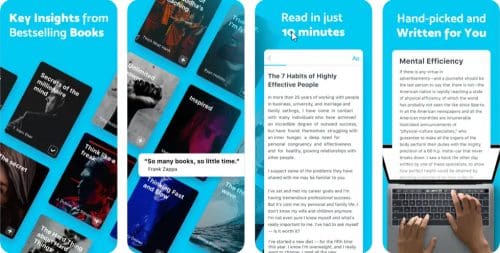
Do you want to read all the inspiring non-fiction books but don’t have enough time? Get MicroBook, a free book summary app exclusively designed for iPhone.
Here, book summaries on soft skills, professional development, and well-being are available. This app also offers a personalized library and reading recommendations for individual users.
Download MicroBook for iOS
Uptime

On Uptime, you get access to summaries of 2,500+ books and documentaries. It also converts the insights into actionable items so you can learn from them.
You can also share these with your friends and colleagues. Downloading this app is free, but you need to subscribe for full features.
Download Uptime for Android and iOS
Retell

With Retell book summary app, it only takes 15 minutes to learn the key takeaways of a book. You also get a personalized reading list suggestion according to your preference.
Besides reading the summaries, you can also listen to them while traveling. It would be best if you bought any of its plans to get complete access to this app.
Download Retell for Android and iOS
StoryShots
StoryShots is a book summary app with thousands of book summaries, audiobooks, and Cliff Notes. You can even access a book’s critical insights through animation and infographics.
Here, you get the summary content in 18 different languages. This free book summary app includes in-app purchases.
Download StoryShots for Android and iOS
Conclusion
Nothing can replace the habit of book reading. But we live in a world where finding time to finish big books can be challenging for many.
With the best book summary apps, you need to spend only 5 to 30 minutes to get the gist of a book. Instead of buying books and never reading them, switch to a book summary app.
If you like the summary of a book, you can always buy it and read it thoroughly. Next is the best and free apps to read books.