Skip to content
LogoTechnipages
technipages logo
  • Topics
        • Android
        • Browsers
        • Gaming
        • Hardware
        • Internet
        • iPhone
        • Linux
        • macOS
        • Office
        • Reviews
        • Software
        • Windows
        • Definitions
  • Product Reviews
  • Downloads
  • About

What Is N-Key Rollover and Anti-Ghosting?

Mel HawthorneAugust 4, 2020 Comments (0)

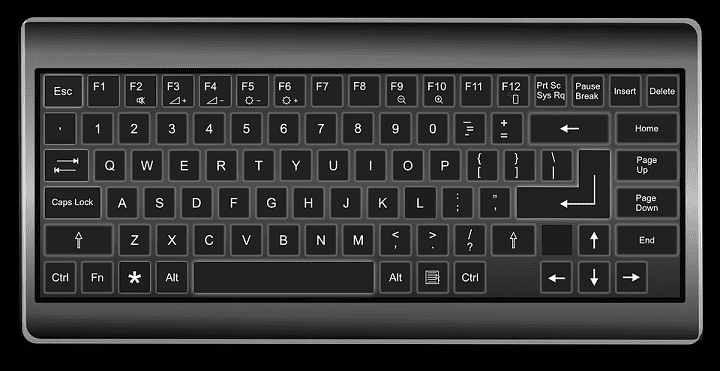
Many keyboards, especially those targeted at gamers, advertise two features that aren’t particularly self-explanatory and generally aren’t explained very well. These features are “N-key rollover” and “Anti-ghosting”

N-key rollover

Rollover is used to define how many keys can be pressed at any one time. Keyboards listing key-rollover with a specific number of keys can only accept input from that many keys at once. Keyboards that advertise N-key rollover are able to accept the simultaneous input of all keys on the keyboard.

The old PS/2 connector was capable of full n-key rollover, but early USB keyboards were not. USB keyboards were generally limited to 6-key rollover, allowing up to 6 letter keys and four modifier keys (such as “shift”) to be pressed at the same time. More recently, however, USB keyboards have become available that offer full N-key rollover, although it is still not a universal feature.

Tip: PS/2 is a connector standard named after the “Personal System/2” IBM computers on which it was first used in 1987. It is unrelated to the PlayStation 2 gaming console from Sony.

Anti-ghosting

Anti-ghosting is a technology designed to prevent accidental key presses. It is generally an artificial limit on the number of physically close together keys that can be simultaneously pressed. It is intended to prevent users from accidentally pressing more keys than intended.

Anti-ghosting is generally a form of 2- or 3-key rollover. One specific scenario it is designed for is gamers who often use the WASD keys for movement in video games. Typically, however, you don’t want or need all of these keys pressed simultaneously and so the keyboard attempts to limit the activation of the keys pressed slightly later, assuming they were accidental activations.

The use of the word “ghosting” for this scenario is technically incorrect as the term is used to specifically refer to the false detection of key presses. This is typically an issue on cheap membrane keyboards, especially older ones, where pressing two keys can occasionally cause the false detection of a third, unrelated key being pressed.

Categories: Hardware

Author Mel Hawthorne

You Might Also Like

  • 3D printing header

    3D Printing: Troubleshooting Resin Prints Not Printing

    Mel HawthorneHardware
  • If you are restarting your phone after running in safe mode

    What Is Safe Mode on Android and What You Can Do

    Judy SanhzHardware
  • What to Do If Chromebook Won’t Turn On

    Madalina DinitaHardware

Leave a Reply

Your email address will not be published. Required fields are marked *

This site uses Akismet to reduce spam. Learn how your comment data is processed.

300x600
Turning on Triple Touch Zoom on Android

Turning on Triple Touch Zoom on Android

How to Connect Outlook 2023 to Gmail

How to Connect Outlook 2023 to Gmail

Netflix: Change Password

Netflix: Change Password

Everything You Need to Know About WhatsApp Delete for Me

Step-by-Step Guide: How to Use WhatsApp on Your Computer

Android: Enable or Disable Background Data

Android: Enable or Disable Background Data

300x250
profile pic

The Experts Behind Technipages

My name is Mitch Bartlett. I've been working in technology for over 20 years in a wide range of tech jobs from Tech Support to Software Testing. I started this site as a technical guide for myself and it has grown into what I hope is a useful reference for all.

Learn More

300x250 2
technipages logo white
linkedin icon

Technipages is part of Guiding Tech Media, a leading digital media publisher focused on helping people figure out technology. Visit guidingtechmedia.com to learn more about our mission and team.

© 2026 Guiding Tech Media All Rights Reserved

  • About Us
  • Contact
  • Legal & Privacy

© 2026 Guiding Tech Media All Rights Reserved

Information from your device can be used to personalize your ad experience.
Do not sell my personal information.